
WordPress AI Agent: Let Claude Code Manage a Site Safely
An AI agent can run your WordPress site through the official MCP Adapter or a terminal. Give it a limited user, a test copy and a restorable backup first.

An AI agent is a program that reads a goal in plain words, decides which actions reach it and runs them, without you typing each one. Claude Code, Cursor and OpenAI’s Codex are such agents, and since 2026 WordPress has an official door for them. Before you open it: through which door, as which user, and what do you do when it breaks something?
The essentials
- The official door is the WordPress MCP Adapter, announced on developer.wordpress.org on February 4, 2026: WordPress 6.9 or later, 60,000+ active installs at version 0.7.1 (WordPress.org, November 7, 2026).
- Every action runs as a WordPress user. The WordPress team’s advice: a dedicated user with limited capabilities, read-only abilities for anything reachable over the internet, and logging.
- Nothing is exposed by default. Site functions (abilities) stay private until a developer marks them public; WordPress 6.9 ships three, all read-only.
- Blaminhor Essentials brings WP-CLI, not MCP:
wp blaminhor backup create,restore,undo-restore,fer status,fer force-disableandmaintenance enable, read from the plugin’s code (version 2.8.6). - Test the restore on a copy before the agent touches the real site.
What is a WordPress AI agent, and what can it do today?
A WordPress AI agent is an AI program with the right to act on your site, not just write for it. Told “find and fix the broken links”, it lists the pages, checks the links, edits them and reports back. Behind it sits Claude, GPT, Gemini or an open-weights model (one you download and run yourself) such as Llama.
It needs a way in, and there are two. MCP, the Model Context Protocol, is an open standard that lists what a system can do as “tools” any compatible AI client can call; WordPress has an official adapter for it, and plugins such as AI Engine (90,000+ active installs, WordPress.org, November 7, 2026) ship their own MCP server. A terminal is the other: Claude Code, Codex CLI or Gemini CLI run shell commands, so an SSH connection (a secure remote terminal on your server) lets them run WP-CLI. Both doors end at a WordPress user account.
What is WordPress MCP, and do you need it?
WordPress MCP is the official MCP Adapter plugin, which converts site functions registered through the Abilities API into MCP tools an AI client can discover and call. The Abilities API, new in WordPress 6.9, lets core and plugins declare “here is a function, what it takes, who may run it.” From the announcement and the plugin page:
| What | Where it stands (November 7, 2026) |
|---|---|
| Requirements | WordPress 6.9 or later, PHP 7.4 or later |
| Version, installs | 0.7.1 (October 15, 2026), 60,000+ active installs |
| What is exposed | Nothing by default. An ability is reachable only if marked public, and its permission check still runs against the connected user |
| Abilities in WordPress 6.9 | Three, all read-only: site info, current user info, environment info |
| Connection, local site | Over WP-CLI: wp mcp-adapter serve --user=<login>, as that user |
| Connection, live site | Over HTTP through a local proxy (@automattic/mcp-wordpress-remote), signed in with a WordPress application password |
Do you need it? Only if the functions you want the agent to use are registered as abilities. Fresh out of WordPress 6.9 that is three read-only ones, so for settings, backups and plugin management today, the terminal door is the one that already works.
How do you connect Claude Code or another agent to WordPress?
Pick the door that matches where the site runs: MCP over WP-CLI for a site on your own computer, MCP over HTTP with an application password for a live site, or an SSH terminal for anything WP-CLI can do. The MCP configuration is a short block in the client’s settings file; the terminal needs SSH and WP-CLI on the server.
An application password is a secondary password WordPress has generated since version 5.6 for one program at a time. You create it on the user’s profile (Edit User) page, name it after the program (“Claude Code, laptop”), and revoke it there without touching the account’s real password. Never give an agent the real one.
What guardrails stop an AI agent from breaking a WordPress site?
Five: a dedicated user with the fewest rights, a test copy of the site, a backup you have restored once, a human confirmation before destructive actions, and a log of what the agent did. None is a plugin feature.
| Guardrail | What it means in practice |
|---|---|
| Dedicated user, minimal role | A user for the agent alone, with the lowest WordPress role that does the job: the MCP Adapter announcement asks for “a specific role/user with limited capabilities”. In practice, Editor for content, Administrator only for settings. See user roles in WordPress |
| Read-only first | Let the agent read, list and report before it may write. The announcement recommends read-only abilities for anything reachable over the internet |
| A test copy (staging) | A copy of the site at another address where a mistake costs nothing. Most hosts offer one; a local copy works too |
| A restored backup | Restore one backup on the copy before the agent touches the live site: that is the only proof it works. See back up WordPress |
| Human confirmation | Deleting content, installing or removing plugins, changing the domain: the agent proposes, you approve. Claude Code’s Manual permission mode asks before actions run; keep the agent in a mode that asks |
| A log | What the agent did, when, and as whom. Turn on your plugin’s log at a level that records changes, and read it after each session |
Add two-factor authentication on every human administrator: an application password is only as safe as the account it belongs to.
What does Blaminhor Essentials give an AI agent?
A WP-CLI command set under wp blaminhor, with a backup, a restore, an undo of the last restore, a fatal error recovery and a maintenance mode, all usable from a terminal. There is no MCP server in the plugin (version 2.8.6): an agent uses these commands over SSH, or next to the MCP Adapter. Everything below is read from the plugin’s code.
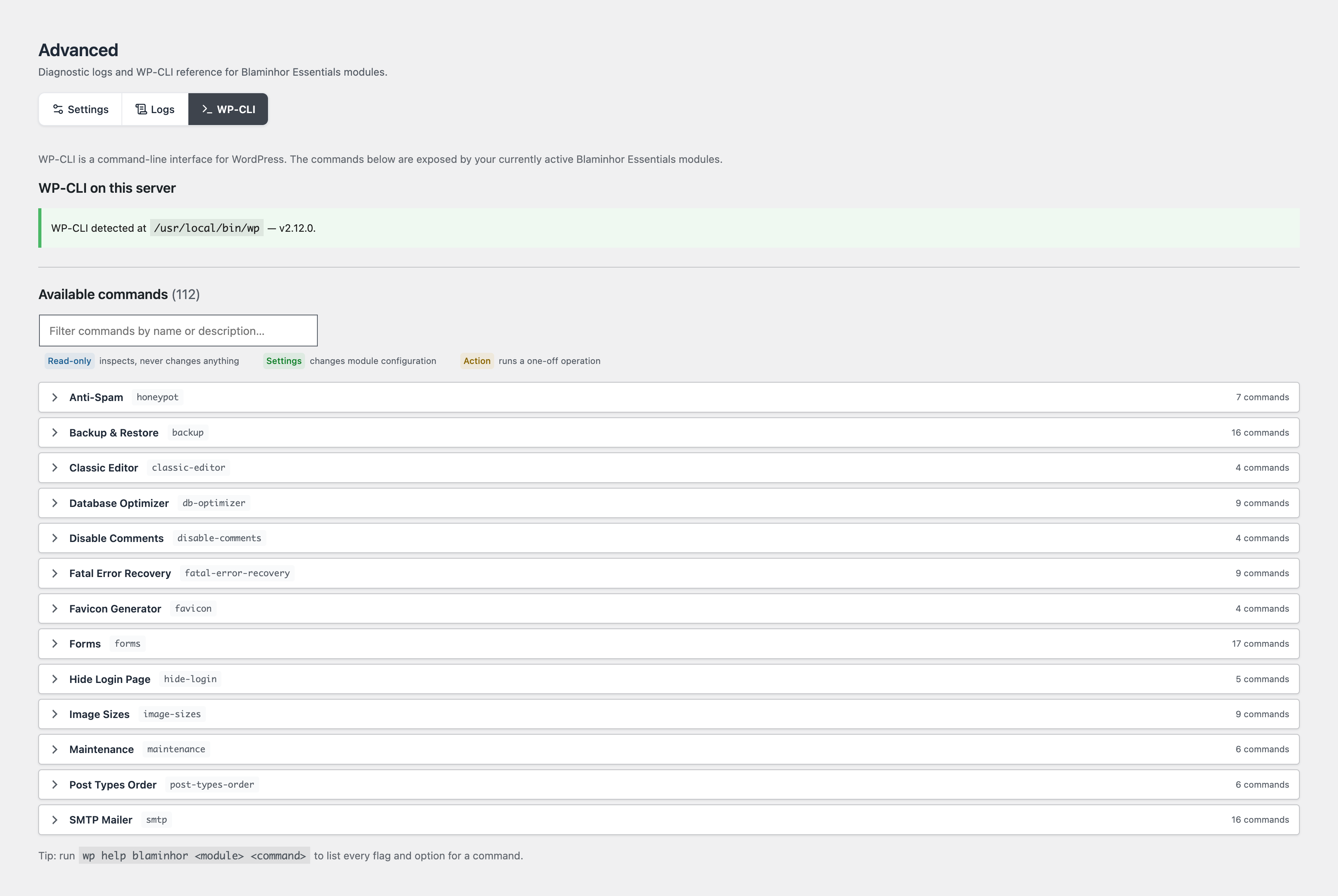
| Command | What it does |
|---|---|
wp blaminhor modules list | Every module with its status; activate <id> and deactivate <id> switch them |
wp blaminhor backup create | Archives the database, plugins, themes and uploads by default; --components=database for the database alone; --porcelain prints only the backup name |
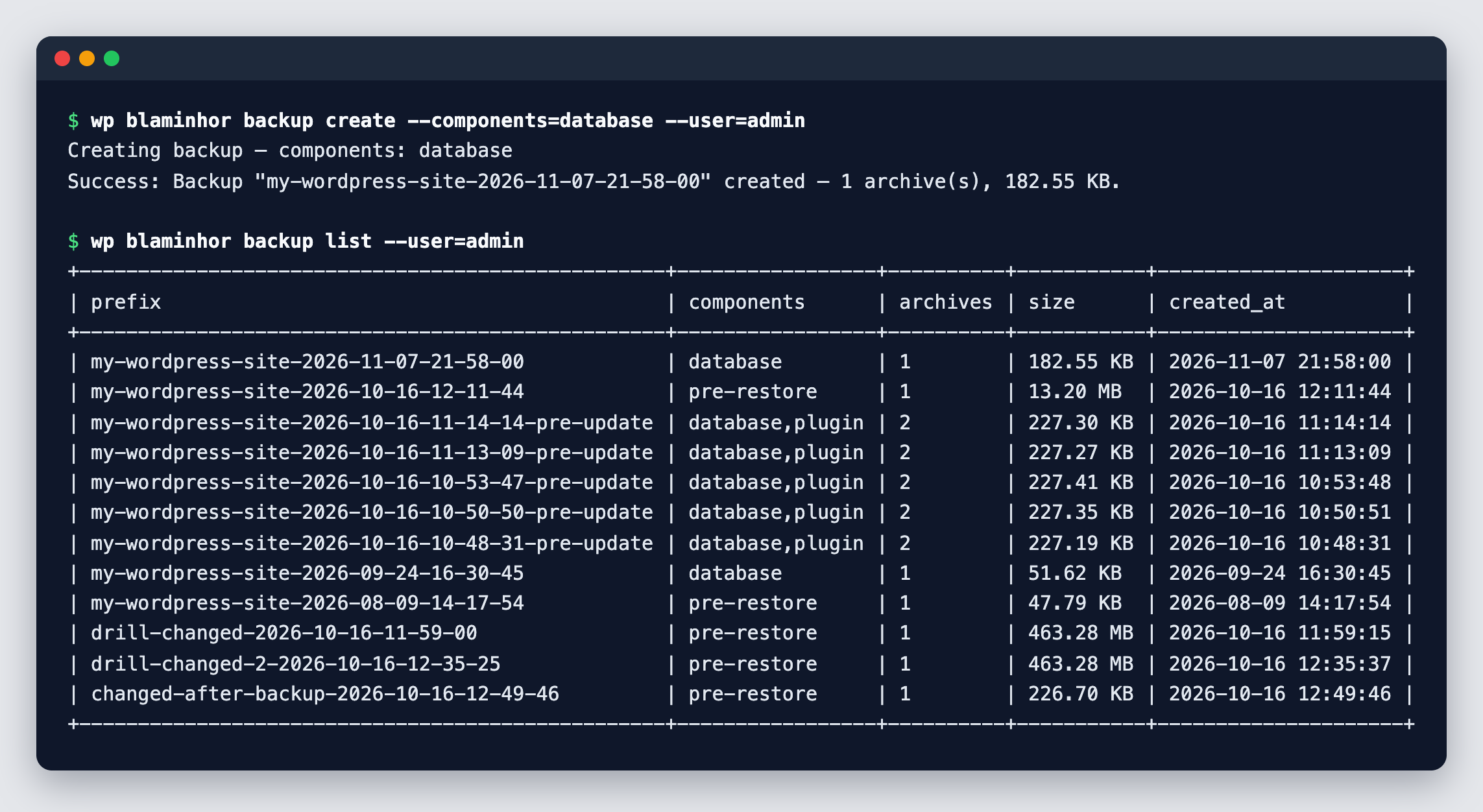
wp blaminhor backup list | The backups on disk, with components, size and date |
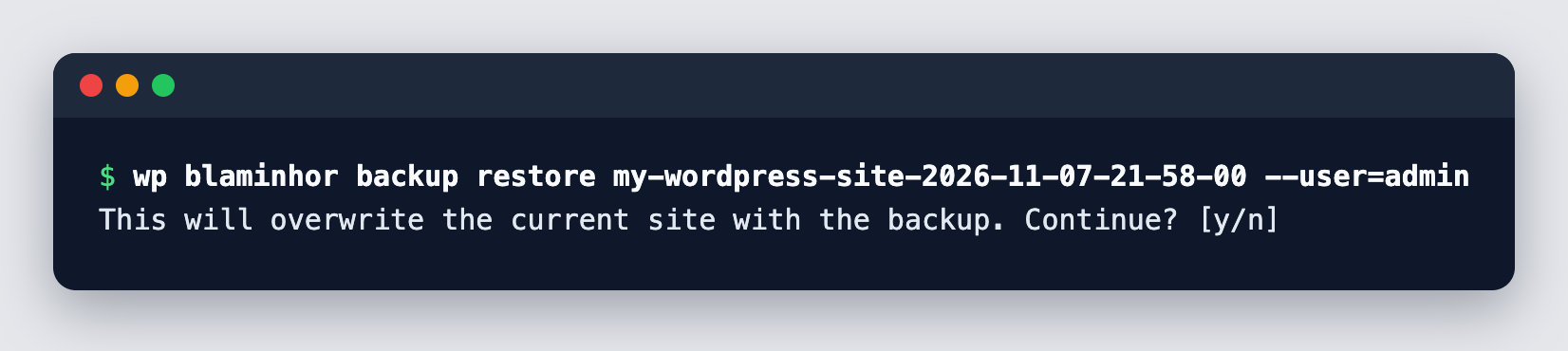
wp blaminhor backup restore <name> | Puts a backup back after asking “This will overwrite the current site with the backup. Continue?”, taking a safety snapshot of the current site first |
wp blaminhor backup undo-restore | Replays that snapshot: the site returns to the state it had just before the last restore |
wp blaminhor fer status | The last recorded fatal error: time, type, file, line and message, plus the recovery address with its key masked |
wp blaminhor fer force-disable <plugin> | Removes a plugin from the active list directly, skipping its own deactivation code; force-enable reverses it |
wp blaminhor maintenance enable / disable | Shows visitors a maintenance page, or the live site again; administrators bypass it by default; status prints enabled or disabled |
Three behaviours matter for an agent:
- Most commands need an administrator. Everything that changes the site, and the readings that expose data (
fer history,smtp logs,maintenance subscribers), stop with “Insufficient capabilities. Run with —user=or as an administrator.” unless WP-CLI runs as a user who can manage options. backup list,fer status,maintenance statusandmodules listrun without it. - Destructive commands ask first.
backup restore,backup undo-restore,backup delete,fer force-disable,maintenance disableandmodules deactivateeach stop at a yes/no question. The--yesflag skips it, so an agent that adds--yeson its own has removed a guardrail: tell it not to. - Every command that changes the site writes to the plugin’s log, as an event tagged
cli; a plain reading leaves no trace. The log (Blaminhor, then Advanced, then Logs) is off by default and, once on, keeps warnings and errors; set its level to “Info + Warning + Error” to see these actions. It holds a rolling 24 hours, capped at 5 MB, downloadable as JSON.
How does a safe agent session look, step by step?
Back up, close the site to visitors, let the agent work on one task, check, reopen; if it broke something, read the error, disable the plugin or restore. Over SSH with Blaminhor Essentials, replacing admin with the login of a user who can manage options:
- Take a backup and keep its name.
wp blaminhor backup create --user=admin --porcelainprints a name such asmysite-2026-11-28-09-30-15. The plugin keeps the last 5 manual backups by default. - Close the site while the agent works.
wp blaminhor maintenance enable --mode=maintenance --user=admin --headline="Back in a few minutes". The--modeflag matters: without it, the command re-enables whichever mode was saved last, and the Staging and Development modes answer 200, so the site would stay visible. Visitors see the maintenance page, signed-in administrators the site; maintenance mode covers what search engines see meanwhile. An agent connected through MCP over HTTP with a non-administrator account is locked out too, because the site’s API (/wp-json) answers 503 in this mode: if it must keep working, tick its role in the module’s Access tab. - Give the agent one task, naming what it may not do: “Update the contact form settings. Do not install, remove or deactivate plugins, and do not pass —yes to any command.”
- Check the result yourself on the pages the task touched.
- Reopen the site.
wp blaminhor maintenance disable --user=adminasks “Disable maintenance mode? Visitors will see the live site again.” and expects your yes.
If a page shows an error instead of the site, a fatal error (a PHP crash) has happened. wp blaminhor fer status prints the file, line and message of the last one recorded, wp blaminhor fer history --user=admin names the plugin, and wp blaminhor fer force-disable <plugin-folder> --user=admin switches it off. Both run after WordPress has loaded, so if the broken plugin stops WP-CLI itself from starting, add --skip-plugins=<plugin-folder> to the command. The fatal error recovery article covers the recovery address for when no terminal is at hand.
If the data is wrong rather than the code, wp blaminhor backup restore mysite-2026-11-28-09-30-15 --user=admin puts the backup back. The module snapshots the current site first; if that snapshot cannot be made, the command warns “No rollback point was created” and undo-restore has nothing to replay. Should the restore make things worse, wp blaminhor backup undo-restore --user=admin returns the site to its previous state.
What can Blaminhor Essentials not do for an AI agent?
It has no MCP server and no built-in AI model, so an agent that only speaks MCP sees the WordPress MCP Adapter and the abilities other plugins register, not wp blaminhor. Its other limits:
- WP-CLI needs a shell. Without SSH access and WP-CLI on the server, none of the commands above runs.
- The backup is local by default. Off-site copies (S3-compatible storage, SFTP, WebDAV, Google Drive, Dropbox, OneDrive, pCloud) exist in the same module with
remote-*commands; Google Drive, Dropbox and OneDrive are labelled Beta in the settings. A backup on the same server as the site does not survive the server. - The log is not an audit trail. It keeps 24 hours, is off until you turn it on, and records what the plugin’s modules did, not what the agent did through WordPress core or other plugins.
The plugin had fewer than 100 active installs on WordPress.org on November 7, 2026, so expect few public reports from other users.
What should you do before the first agent session?
Create the agent’s own user with the lowest role that fits, give it an application password or an SSH login, restore one backup on a test copy, and only then let it near the live site. The plugin overview lists the modules of Blaminhor Essentials; for a damaged site, start with WordPress hacked: what to do.
– blaminhor
FAQ
Can Claude Code manage a WordPress site?
Yes, in two ways. Through MCP, it connects to the official WordPress MCP Adapter and calls the actions the site exposes, as a logged-in WordPress user. Through a terminal, it runs WP-CLI commands on the server over SSH, including wp blaminhor commands when Blaminhor Essentials is installed. Both ways need an account on your site, so what that account may do is the real limit.
Is it safe to give an AI agent administrator access to WordPress?
An administrator account can install plugins, change settings and delete content, and an AI agent with that account can do all of it in seconds. The WordPress MCP Adapter team advises a dedicated user with limited capabilities, read-only abilities for anything reachable over the internet, and logging. Keep administrator access for a test copy of the site, with a backup you have already restored once.
What is the WordPress MCP Adapter?
The official WordPress plugin that turns site functions registered through the Abilities API into MCP tools an AI client can discover and call. It needs WordPress 6.9 or later, was announced on developer.wordpress.org on February 4, 2026, and version 0.7.1 of October 2026 had more than 60,000 active installs on WordPress.org (November 7, 2026). Abilities stay private until a developer marks them public.
Does Blaminhor Essentials include an MCP server?
No. Blaminhor Essentials 2.8.6 has no MCP server and no built-in AI model. What it gives an agent is WP-CLI: a wp blaminhor command tree with a backup that can be created and restored from the terminal, an undo of the last restore, fatal error recovery commands and a maintenance mode switch. An agent uses them through a shell, or next to the MCP Adapter.
Which WP-CLI command backs up a WordPress site before an AI agent changes it?
With Blaminhor Essentials: wp blaminhor backup create --user=<admin login>. By default it archives the database, plugins, themes and uploads; --components=database keeps only the database, and --porcelain prints the backup name alone so a script can store it. wp blaminhor backup restore <name> puts that backup back, after a confirmation and a safety snapshot of the current site.
What happens if an AI agent breaks a WordPress site?
A fatal error (a PHP crash that shows an error page instead of the site) is the usual outcome of a bad plugin or theme change. With Blaminhor Essentials, wp blaminhor fer status prints the file, line and message of the last recorded error, and wp blaminhor fer force-disable <plugin> --user=<admin login> switches the plugin off by editing the active plugins list directly; if the broken plugin stops WP-CLI itself from starting, add --skip-plugins=<plugin folder> to the command. If the data is wrong, wp blaminhor backup restore puts the last backup back.
Comments