
Blaminhor Essentials: One Free Modular WordPress Plugin
Blaminhor Essentials is a free, open-source WordPress plugin that bundles 26 tools—SMTP, backups, SEO, redirects, security—into one modular package.

Over the years I have built dozens of WordPress sites—for clients, for side projects, for experiments that never left localhost—and every single time I installed the same handful of plugins: one for SMTP, one for backups, one for redirects, one for a maintenance page. Ten codebases, ten update schedules, ten potential security holes, just to cover the basics. So I gathered the tools I actually use into a single, modular plugin: Blaminhor Essentials. This is what it does, and why “one plugin instead of twenty” is more than a slogan.
The essentials
- 26 modules, grouped into six families: Content & Media, SEO & Links, Database & Migration, Security & Maintenance, Emails, and Performance.
- 100% free and GPL open-source, published on the official WordPress.org repository. No premium tier, no upsell, no account, no telemetry.
- Zero code loaded for inactive modules — the plugin’s weight scales with what you use, not with what it contains.
- Import-friendly: bring your settings over from WP Mail SMTP, UpdraftPlus, Yoast or Rank Math instead of reconfiguring from scratch.
- Built and maintained in the open, and already running on live sites through the WordPress plugin directory.
Why bundle features instead of installing separate plugins?
Because every plugin you add is a tax you keep paying. Each one loads its own code on every request, ships its own admin menu, follows its own update cadence, and widens the surface an attacker can probe. Ten plugins for ten small jobs means ten things that can break independently—and, in my experience, they break at the worst possible moment.
Blaminhor Essentials flips that math. One plugin, one update, one dashboard. The features live under a single roof and share the same coding standards, so you review one changelog instead of ten. And because the modules are toggles, you are never carrying dead weight for a job you don’t need.
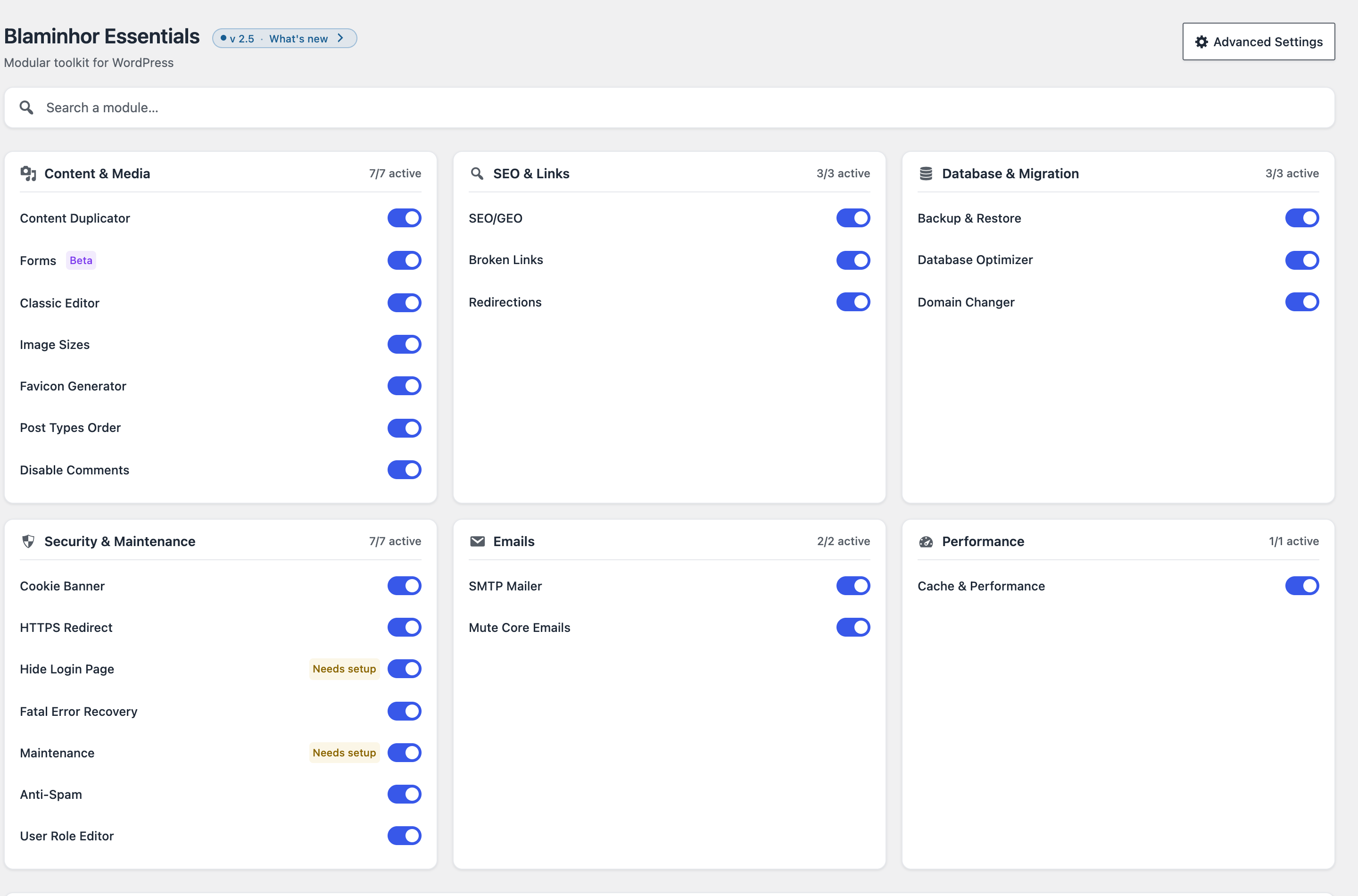 The whole plugin from one screen. Flip a switch and the module is live; flip it back and its code stops loading entirely.
That last point is the one people underestimate, so let me be precise about it.
Does deactivating a module really remove its weight?
Yes—and that is the whole design principle. If you don’t activate a feature, its code never loads. A module you leave off doesn’t run PHP on page loads, doesn’t add rows or queries to your database, and doesn’t enqueue any CSS or JavaScript. It sits inert on disk.
Think of it like a house with rooms you can seal off: an unused room still exists, but you aren’t heating it, lighting it or cleaning it. So a site that only needs SMTP and backups pays for exactly those two, even though twenty-odd modules are available. The plugin’s footprint follows your choices, not its feature list—which is precisely why “all-in-one” here doesn’t mean “bloated.”
Can it replace my SMTP, backup and SEO plugins?
For most sites, yes—and these three are the ones I lean on the hardest, so they got the most attention.
Email delivery is the classic WordPress failure: the default wp_mail() quietly drops messages, and your contact forms or password resets never arrive. The SMTP Mailer module routes mail through a real SMTP server with automatic fallback to a second relay, preset configs for a dozen providers, a delivery log and a one-click test. If you’re coming from WP Mail SMTP, it can import your setup. (I unpack the whole topic in How to Fix WordPress Email Delivery With SMTP.)
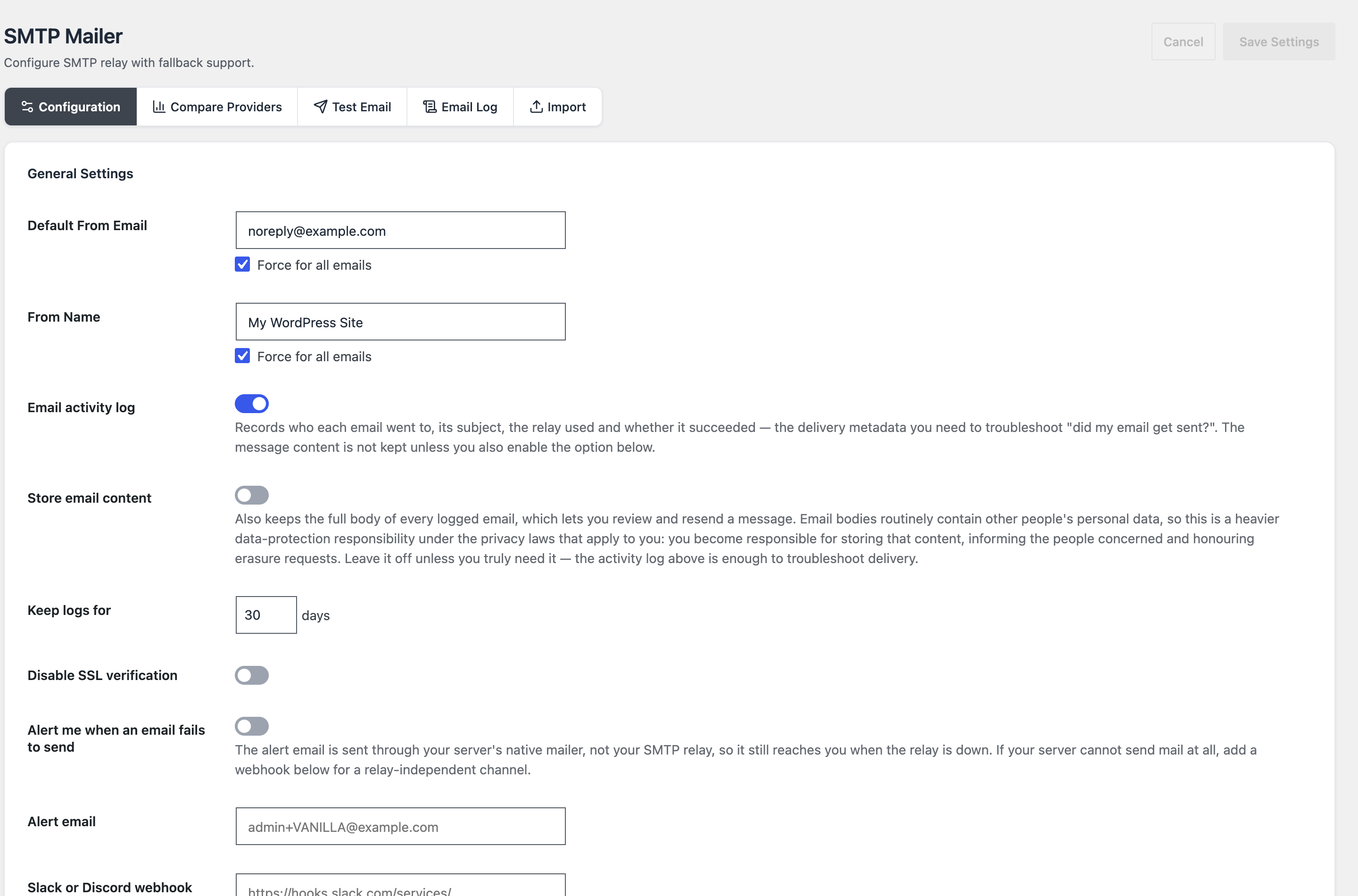 SMTP done properly: a fallback relay for when your primary provider hiccups, plus an activity log so you can answer “did my email actually get sent?”
Backups are the plugins I most resented paying for—or trusting for free. The Backup & Restore module creates separate archives for your database, plugins, themes and uploads, runs on a schedule, and restores in one click. Everything stays on your own server unless you send it elsewhere. (More in How to Backup Your WordPress Site the Smart Way.)
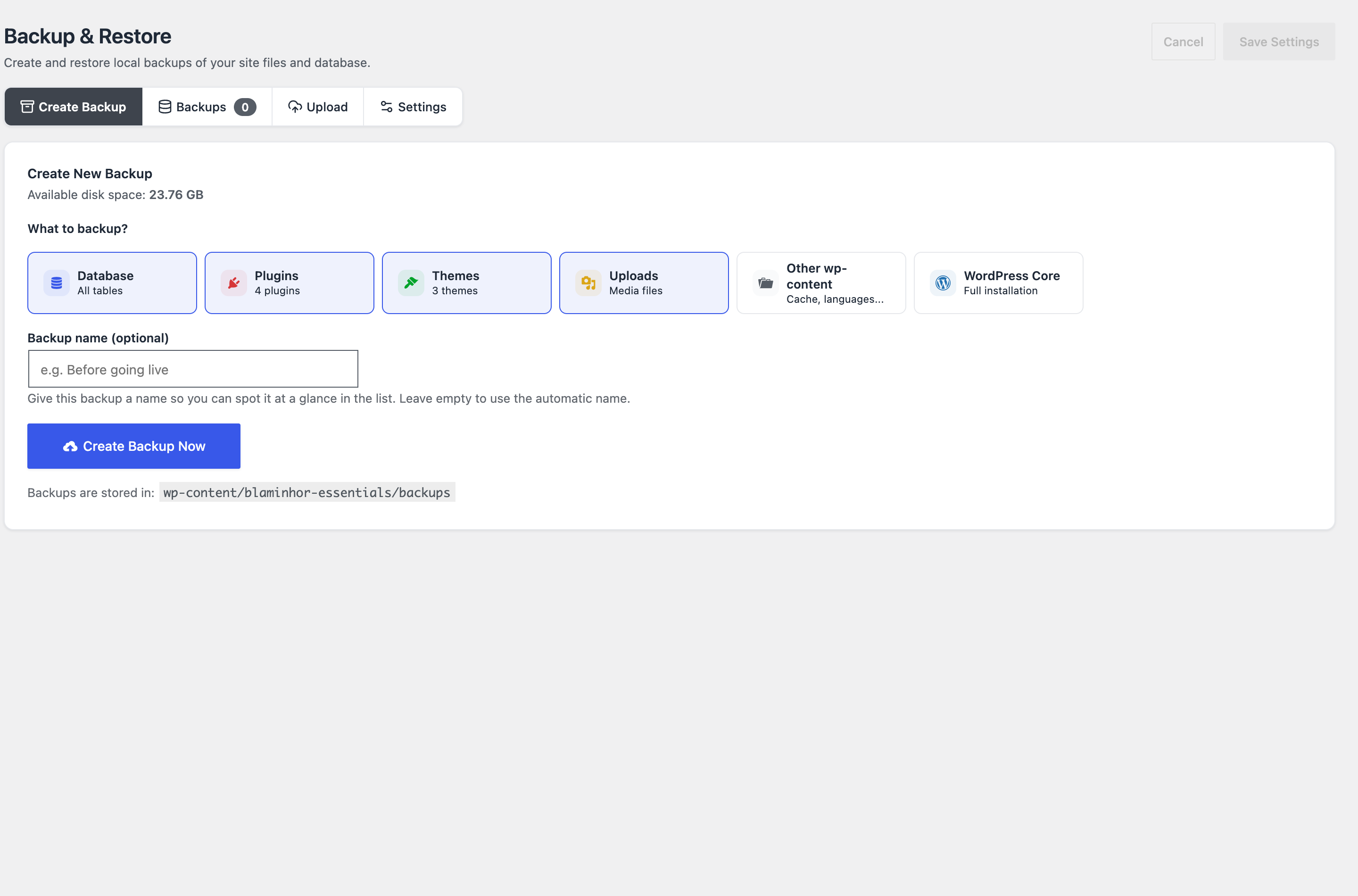 Pick what goes in the archive, schedule it, forget it—and restore fast when something goes wrong.
SEO rarely justifies a heavyweight plugin just to set meta titles and control indexing. The SEO/GEO module covers the essentials—meta tags, Open Graph, SERP preview, XML sitemaps, schema, and an AI-answer (GEO/AEO) layer—and imports from Yoast or Rank Math. (Full walkthrough in SEO and GEO on WordPress.)
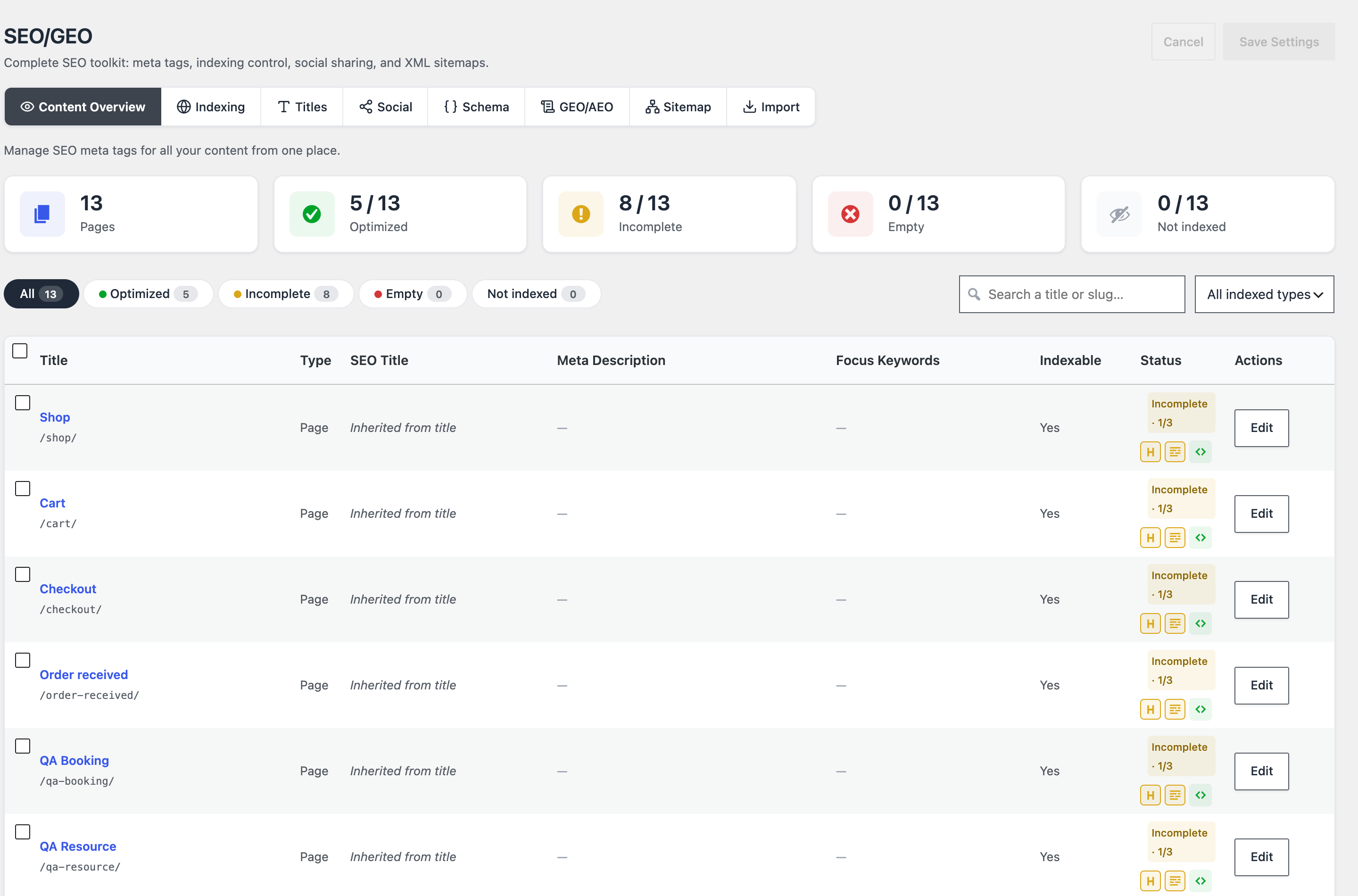 A single table that tells you, at a glance, which pages still need a title or description—no dashboard-hopping.
Is Blaminhor Essentials safe to run on a live site?
That was a non-negotiable for me, because these modules touch sensitive parts of a site. Three of them exist specifically to make WordPress safer to operate, and the first two are designed to work together.
The Hide Login Page module moves wp-login.php to a secret URL and sends bots and brute-force scanners to a 404. But hiding your login has an obvious failure mode—forget the URL and you’re locked out—so it pairs with Fatal Error Recovery, which watches for fatal errors and gives you a secret recovery link to disable the offending plugin without FTP. The Hide Login screen even reminds you to save that recovery URL before you enable it.
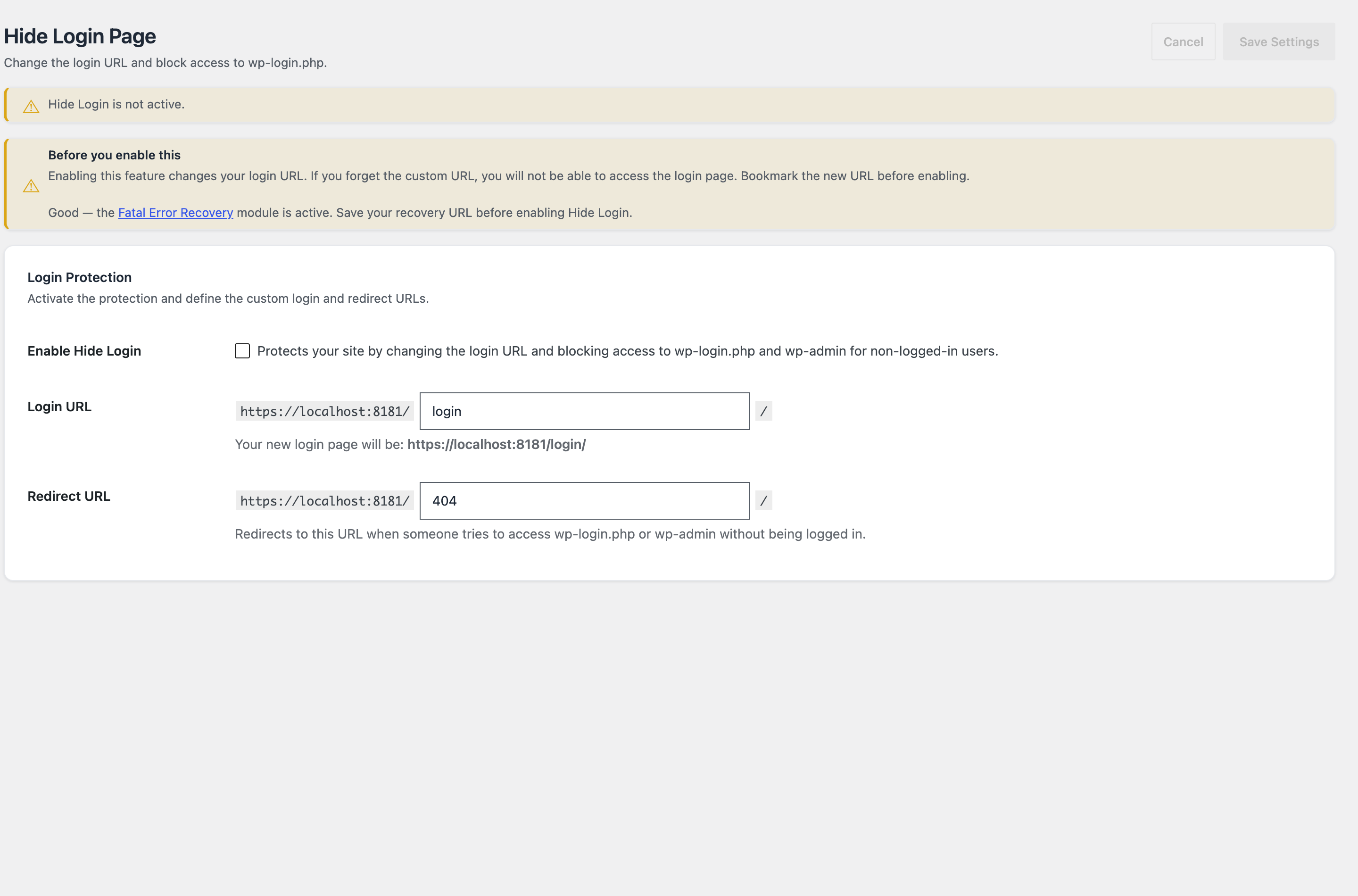 Move your login off the address every bot already knows—safely, because it’s aware of the recovery module next door.
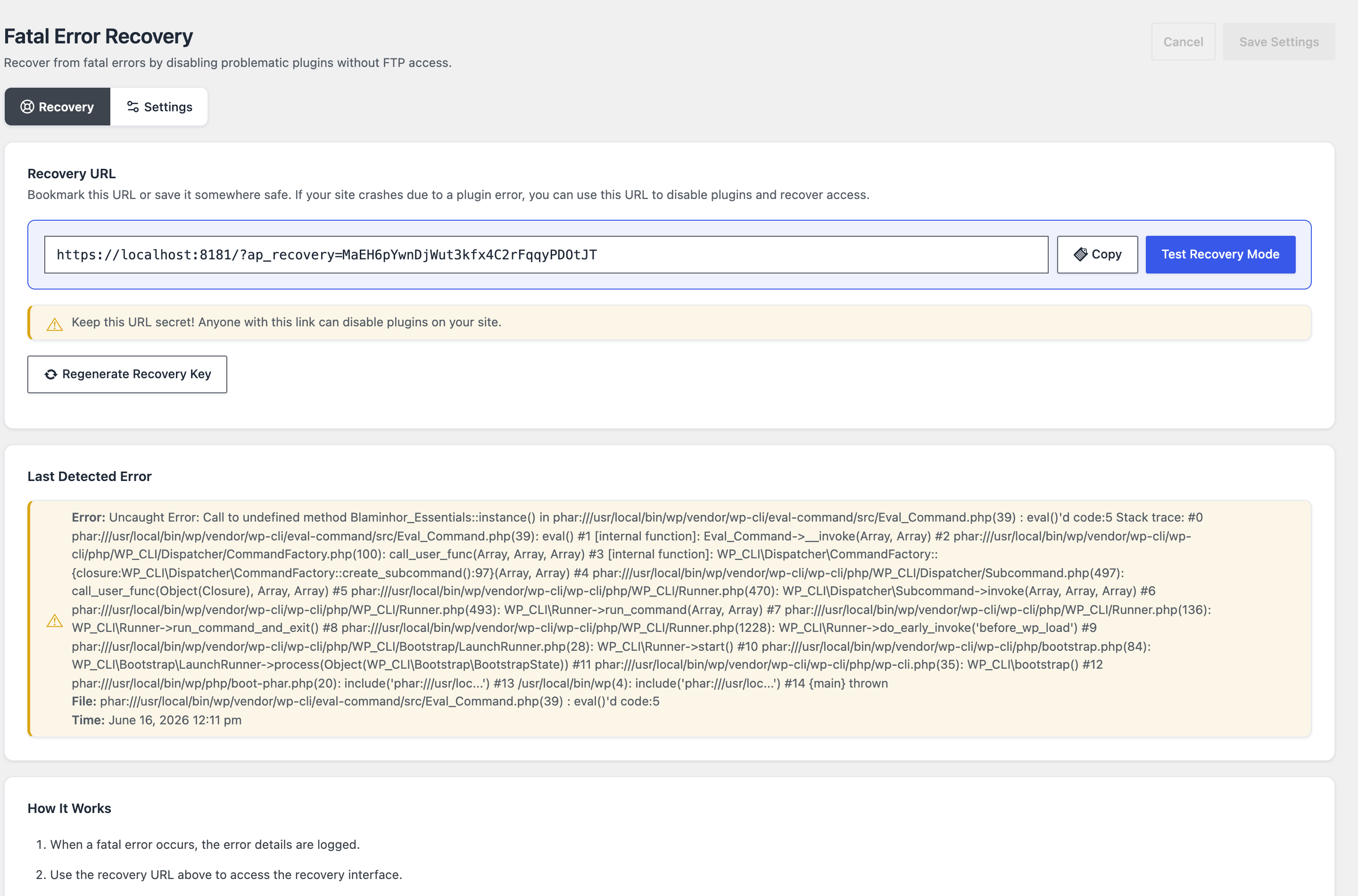 The safety net itself: bookmark the secret URL and you can disable a crashing plugin—or find your way back in—without ever opening FTP.
That kind of cross-module awareness is only possible because it’s one plugin. Two separate tools from two vendors would never warn you about each other. (Deeper dives: Hide Your WordPress Login Page and Recover From a WordPress Fatal Error Without FTP.)
The third, Login Security, arrived in version 2.6.0 and is still flagged beta. It guards what a hidden URL can’t: it throttles brute-force attempts on every sign-in route (login form, XML-RPC, REST API, application passwords), adds two-factor sign-in—authenticator app, security key or passkey, emailed code, single-use backup codes—with trusted browsers, enforces a password policy, sends sign-in alerts and keeps a journal of attempts with hashed addresses. Everything runs on your own server with no external service, and a WP-CLI unlock plus a wp-config.php switch make sure you can never lock yourself out.
What does it look like in day-to-day work?
Beyond the marquee features, the modules I reach for most are the boring, unglamorous ones that save an afternoon. Migrating a site to a new domain, for instance, normally means hunting through serialized database references by hand. The Domain Changer module does the search-and-replace in one pass, with a preview of every change before you commit and a reminder to back up first.
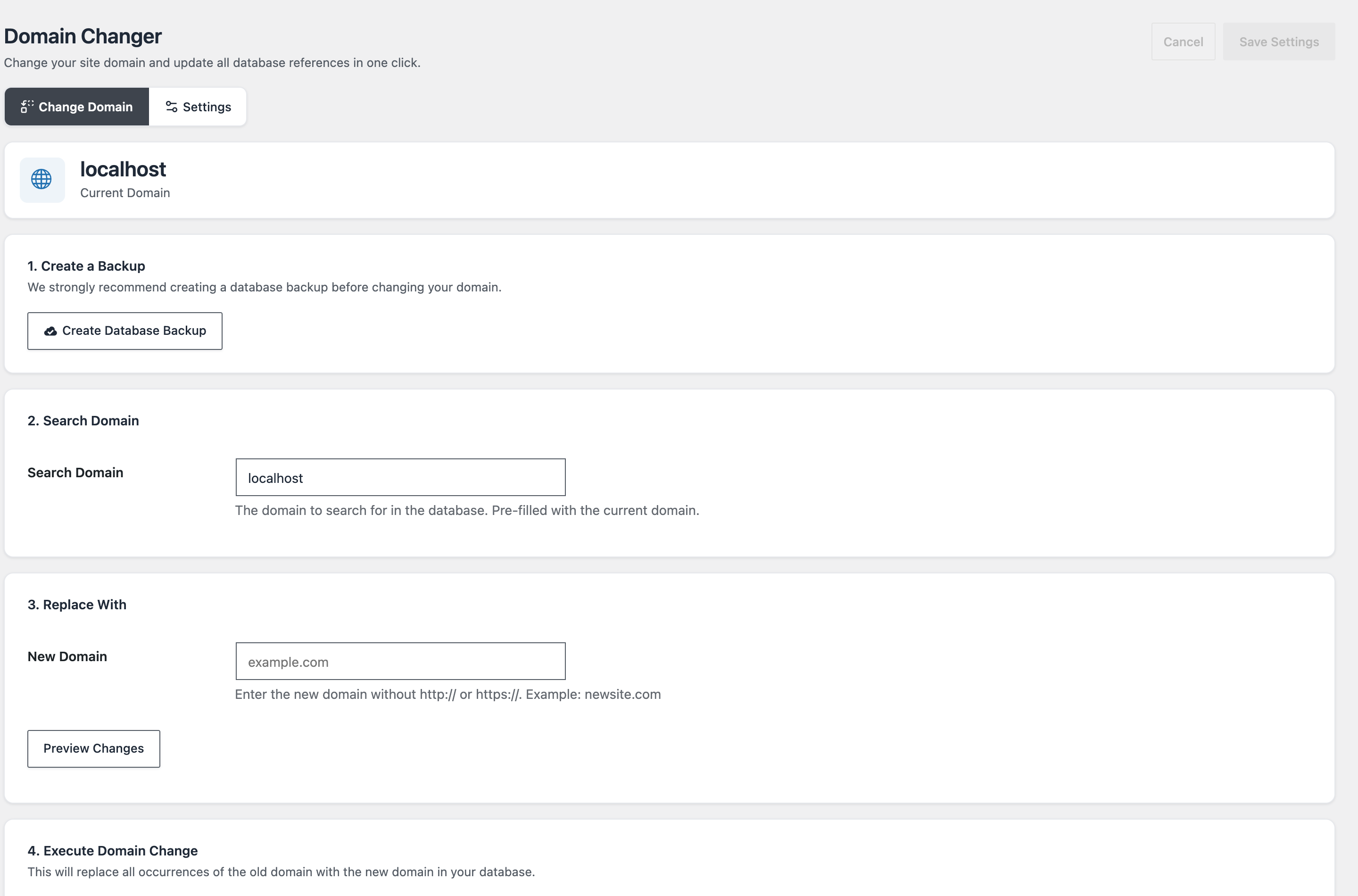 Change your domain and every reference to it—including serialized data—in one guided, preview-first operation.
Or cloning a page with all its metadata, taxonomies and page-builder layout intact—Elementor, Divi, Beaver Builder and friends included. The Content Duplicator turns that into a one-click job and lets you tag copies with a title suffix so you never confuse a draft with the original.
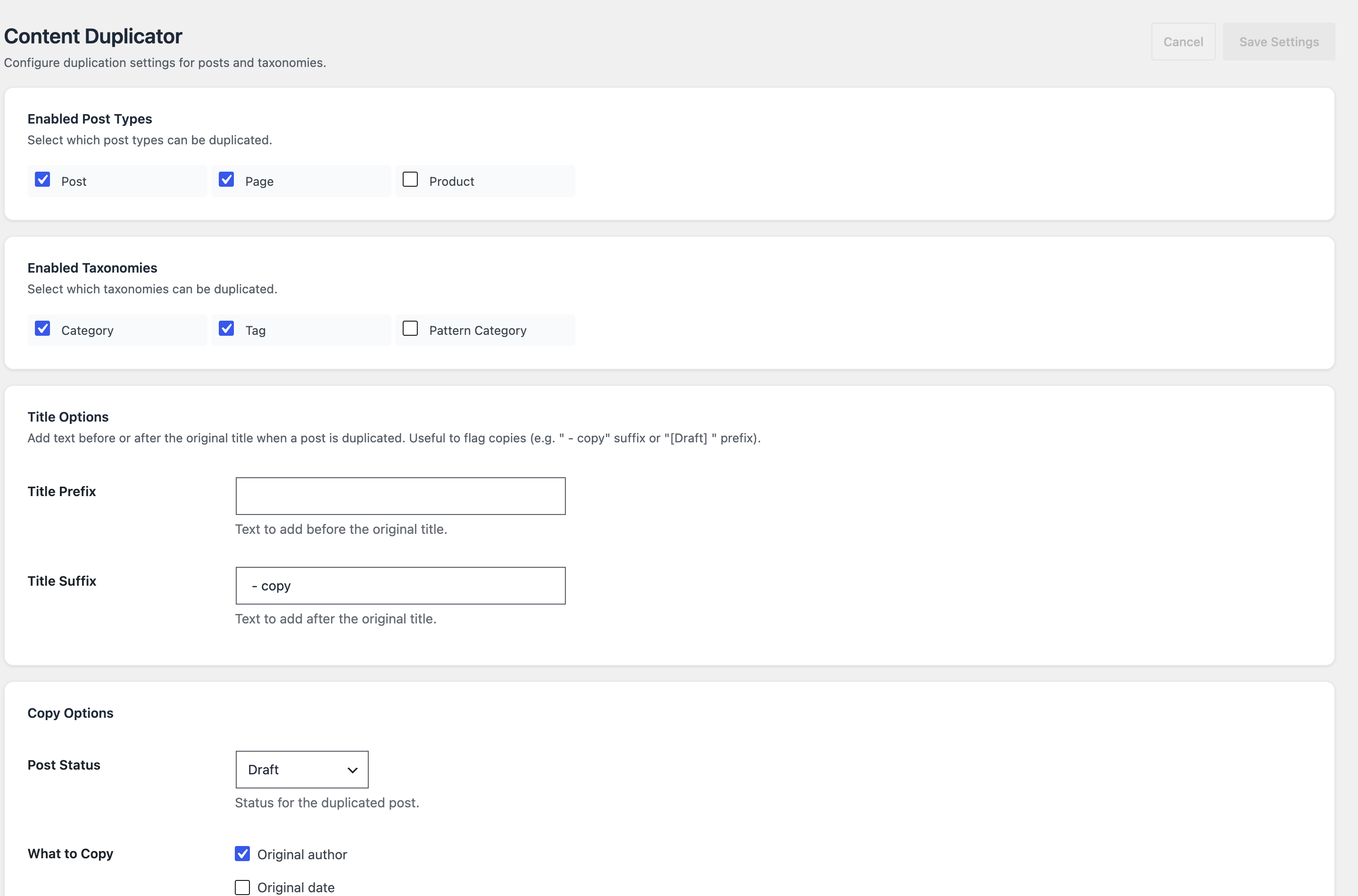 One click to clone a page—layout, metadata and taxonomies included—flagged as a draft so nothing goes live by accident.
None of these are revolutionary on their own. The point is that they’re all in the same place, sharing the same design and the same update—so the ten-tab plugin sprawl simply disappears.
Which features does Blaminhor Essentials include?
Here is the full catalogue. Each module links to a dedicated guide where one exists, so you can go as deep as you like—and since version 2.7.1, every module can also be driven from WP-CLI.
| Module | Category | What it does |
|---|---|---|
| SMTP Mailer | Emails | Reliable email delivery via a real SMTP server, with a fallback relay and delivery log. |
| Mute Core Emails | Emails | Silence WordPress’s automatic notifications individually. |
| SEO/GEO | SEO & Links | Meta tags, Open Graph, sitemaps, schema and an AI-answer layer, without a heavy SEO plugin. |
| Broken Links Checker | SEO & Links | Scans content in small batches to find dead links without overloading the server. |
| Redirections 301 | SEO & Links | Manage 301 redirects with simple rules or regex, with automatic suggestions on slug changes. |
| Backup & Restore | Database & Migration | Scheduled, separate archives for database, plugins, themes and uploads; one-click restore. |
| Database Optimizer | Database & Migration | Clears revisions, auto-drafts, spam and expired transients, on a schedule. |
| Domain Changer | Database & Migration | One-click search-and-replace across the database, serialized data included, with preview. |
| Hide Login Page | Security & Maintenance | Move wp-login.php to a custom URL and block bots from /wp-admin. |
| Fatal Error Recovery | Security & Maintenance | Disable a crashing plugin via a secret recovery URL, no FTP required. |
| HTTPS Redirect | Security & Maintenance | Force HTTPS site-wide, fix mixed content and support HSTS headers. |
| Maintenance & Coming Soon | Security & Maintenance | A lightweight holding page with role- or IP-based access whitelisting. |
| User Role Editor | Security & Maintenance | Create custom roles, edit capabilities per role or user, export as JSON. |
| Anti-Spam Honeypot | Security & Maintenance | Server-side honeypot on native forms—no captcha, no third party. |
| Cookie Banner | Security & Maintenance | A privacy-law consent banner without a bloated CMP. |
| Login Security (Beta) | Security & Maintenance | Brute-force throttling on every sign-in route, two-factor sign-in (authenticator app, passkey, email, backup codes), password policy, sign-in alerts and a journal with hashed addresses—no external service. |
| Calendar (Beta) | Content & Media | Events with recurrence, venues, organizers, iCal and RSVP—plus a full booking system for appointments and resource rentals, with reminders and Stripe payments. |
| Content Duplicator | Content & Media | Clone posts and pages with metadata, taxonomies and page-builder layouts. |
| Classic Editor | Content & Media | Fully remove Gutenberg and its CSS for the classic editing experience. |
| Image Sizes | Content & Media | Disable unused thumbnail sizes, register custom ones, reclaim disk space. |
| Favicon Generator | Content & Media | Generate every favicon format from one square image, manifest included. |
| Post Types Order | Content & Media | Drag-and-drop manual ordering for any post type or taxonomy. |
| Disable Comments | Content & Media | Turn comments off completely, site-wide or per post type. |
| Forms | Content & Media | A lightweight native form builder (beta). |
| Downloads (Beta) | Content & Media | Total and unique download counts per media file (robots and repeat clicks filtered, no visitor address stored), forced save-to-disk, and files restricted to signed-in visitors, chosen roles or a password. |
| Cache & Performance | Performance | Page caching and front-end optimization without a separate cache plugin. |
One module deserves a special mention: Calendar, still in beta, is the most ambitious of the lot. It turns WordPress into a full events-and-booking platform—recurring events, venues, organizers, iCal import and RSVP, plus an appointment-and-rental reservation system with reminders and Stripe payments. It’s the clearest sign of where Essentials is heading: not just replacing the small utilities, but absorbing the big ones too. I wrote a full guide to it as a free alternative to The Events Calendar Pro, screenshots included.
How much does it cost?
Nothing. Blaminhor Essentials is free and open-source, published on the official WordPress.org directory under the GPL. There is no premium version, no locked “pro” module, no account to create and no telemetry phoning home. I built it to solve my own problems across dozens of sites, and I’m sharing it because it will very likely solve yours too. If a module is missing, it will arrive as the plugin grows—depending on my needs and yours.
You can install it straight from your dashboard under Plugins → Add New by searching for “Blaminhor Essentials,” or grab it from the WordPress Plugin Repository or the project website.
– blaminhor
FAQ
What is Blaminhor Essentials?
Blaminhor Essentials is a free, open-source WordPress plugin that bundles twenty-six common utilities—SMTP mailing, backups, SEO/GEO, 301 redirects, database cleanup, security tools and more—into a single modular package. You switch each feature on or off; a deactivated module loads no code at all.
Is Blaminhor Essentials really free?
Yes. It is 100% free and GPL open-source, published on the official WordPress.org repository. There is no premium tier, no upsell, no account to create and no telemetry. Every module is included at no cost.
Where can I download Blaminhor Essentials?
From the official WordPress.org plugin repository at wordpress.org/plugins/blaminhor-essentials, or directly from the project website at wp.blaminhor.com. You can also install it from your WordPress dashboard under Plugins → Add New by searching for « Blaminhor Essentials ».
Is it compatible with WooCommerce, Elementor and my theme?
It's built to sit alongside them, not replace them. Blaminhor Essentials adds site-wide utilities—mail, backups, redirects, security—that don't touch how WooCommerce or Elementor render your pages, and its Domain Changer even understands the serialized data those builders store. As with any plugin, test on staging first if your setup is heavily customised.
Does it work on WordPress multisite?
I'd test it on a staging network before relying on it, because multisite changes how plugins load and store options across sites—some modules are naturally per-site, others network-wide. The plugin's WordPress.org page and support forum are the honest place to confirm current multisite behaviour rather than assume it.
What are the minimum PHP and WordPress versions required?
Blaminhor Essentials targets modern, supported versions of PHP and WordPress rather than legacy ones. For the exact minimums—which can change with each release—check the « Requires » details on its WordPress.org plugin page before installing. If your host still runs an old PHP build, updating it is worth doing regardless.
How do I get support for a free plugin like this?
Free doesn't mean unsupported. Being published on WordPress.org, Blaminhor Essentials has a public support forum there where you can post issues and read past threads, and the project site at wp.blaminhor.com is the other point of contact. Because it's open-source, the code itself is also open for you to inspect.
How is Blaminhor Essentials different from Jetpack?
Jetpack leans on Automattic's cloud and pushes paid upgrades; Blaminhor Essentials runs entirely on your own server, stays fully free, and has no telemetry or account to create. Both are modular, but here every module you switch off loads zero code—so the plugin's weight follows what you actually use.
Comments